[This post my second entry of the F# advent calendar 2015 series. You can also read the first post about “Using Async.Choice in Paket“]
Recently I was asked to help with a website that was based on suave.io. The task was to transform the existing F# script based suave.io website to something that can be run in the enterprise infrastructure and also performs some background tasks like creating Excel reports recurringly.
Suave as a (windows) service
A lot of the suave.io samples work with simple .fsx script files. This approach is indeed simple and allows fast prototyping with the use of the REPL. Even more complex websites like fssnip.net are using this approach with great success (code here). One of the benefits of script based suave solutions is that they are often equipped with a FAKE build script that rebuilds the website automatically if someone changes a file. One prominent example is FsReveal:

But sometimes you want to have a “real Visual Studio project” with debugging support and your enterprise might want to install your website as a Windows service. So the first step was to convert the F# script based approach into a project and adding TopShelf layer to make it runnable as Windows service. Thanks to a short blog post by Tomas Jansson this was super easy. It’s basically just installing TopShelf.FSharp via Paket and adding a single file with the config. Look into Tomas’s blog post to see the details.
After moving to the TopShelf model we still wanted to have automatic website rebuild whenever someone touched the source code. This little FAKE script makes this possible:
Running background jobs
The website already allowed to generate Excel reports by clicking somewhere in the UI. In addition to that we wanted to create the Excel reports recurringly in background jobs. Scott Hanselman has a blog post about “How to run Background Tasks in ASP.NET” and shows a couple of solutions that while optimized for ASP.NET would probably work with suave.io as well. But in this case we wanted to have something that syncronizes with the IO of the website so we decided to use F#’s MailboxProcessor feature a.k.a. “agents”. (As always: Scott Wlaschin has a nice introduction to agents.)
As a small intro into background jobs we start with F# counter agent sample by Tomas Petricek:
This little snippet shows an agent that calculates averages of the messages that it receives. Now let’s add a background job that recurringly sends messages to the counter agent:
In order to use this we need a bit of ugly infrastructure code that we will hide in a library:
So let’s try this out in the F# interactive:

Since this works as expected we can use it in our website:
Since all the user triggered reporting will also go through this taskAgent we ensure that IO is synchronized.
Sample project
In https://github.com/forki/backgroundjobs you can find a sample project which does exactly the two points from above.

As you can see the website performs background jobs and is rebuilding/restarting automatically when a source code file is saved.
Tags:
F#,
fsadvent,
fsharp
As many readers already know I’m maintaing the open source projects FAKE and Paket. These projects are used in many companies and open source projects to make continuous integration work on .NET and mono.
In this article series I want to highlight some of the more unsual use cases. Today I want to start and highlight the first 6 amazing projects.
FsReveal
“FsReveal allows you to write beautiful slides in Markdown and brings C# and F# to the reveal.js web presentation framework.” [project site]
FsReveal uses Paket’s GitHub file dependencies feature to download reveal.js:
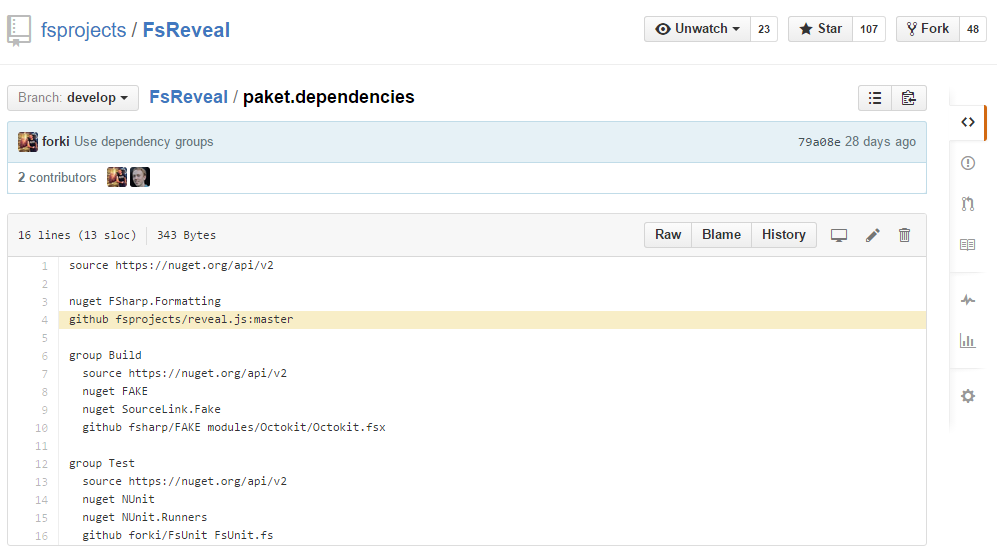
It also uses a FAKE build script which converts Markdown files to html slides (via FSharp.Formatting) and runs these slides in a suave.io web server. FAKE’s file system watcher + suave’s socket implementation even allows you to edit your slides with automatic preview:
Stanford.NLP.NET
“Stanford.NLP for .NET is a port of Stanford NLP distributions to .NET.
This project contains build scripts that recompile Stanford NLP .jar packages to .NET assemblies using IKVM.NET, tests that help to be sure that recompiled packages are workable and Stanford.NLP for .NET documentation site that hosts samples for all packages. All recompiled packages are available on NuGet.” [project site]
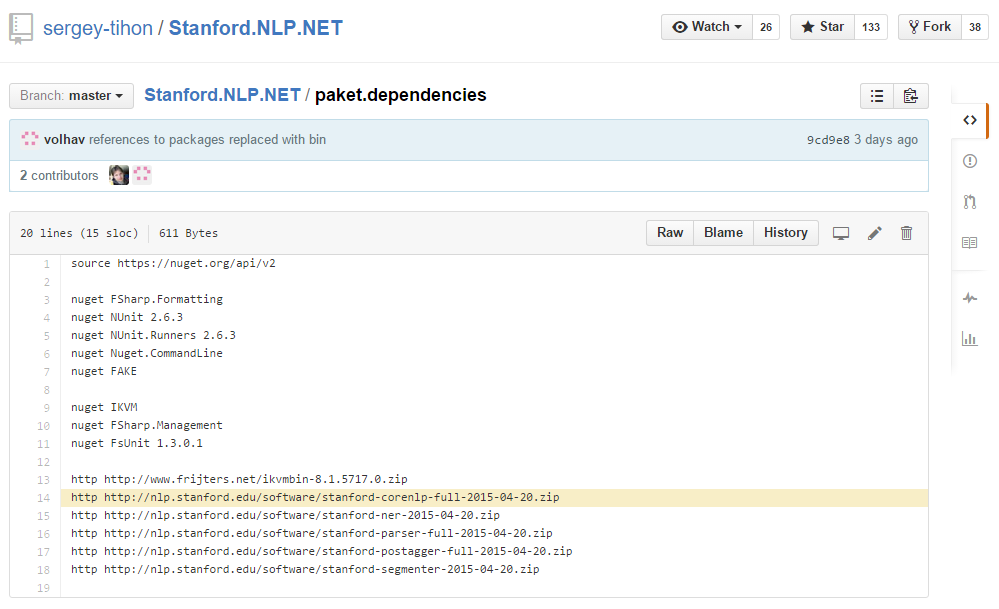
This project downloads .jar packages via Paket’s HTTP dependencies feature, recompiles everything to .NET via IKVM.NET in a FAKE build script and republishes it on NuGet. Automatic Java to .NET compilation – how cool is that?
Paket.VisualStudio
“Manage your Paket dependencies from Visual Studio!” [project site]
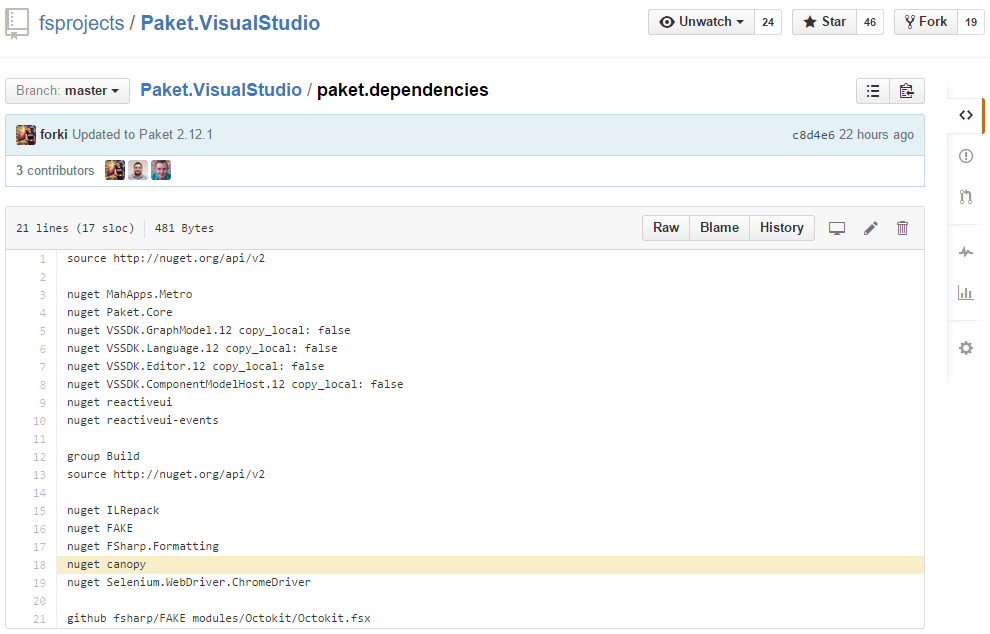
Paket.VisualStudio is a VisualStudio addin that you can download from Microsoft’s VisualStudio gallery. Unfortunately even in 2015 Microsoft doesn’t provide an API for automating the upload to its gallery. Therefore Paket.VisualStudio uses Paket’s NuGet dependencies feature to download canopy and Selenium:
It then uses canopy + Selenium in a FAKE script to upload the addin via browser automation:

Ionide-F#
“It’s part of Ionide plugin suite. F# IDE-like possibilities in Atom editor” [project site]
Ionide is an Atom plugin written in F#. It’s using Paket and FAKE to automate the build and release process.
First it uses FunScript to transpile F# to Javascript and then automates npm to resolve Javascript dependencies and apm to upload the plugin to the Atom gallery.
Akka.Net
“Akka.NET is a community-driven port of the popular Java/Scala framework Akka to .NET.” [project site]
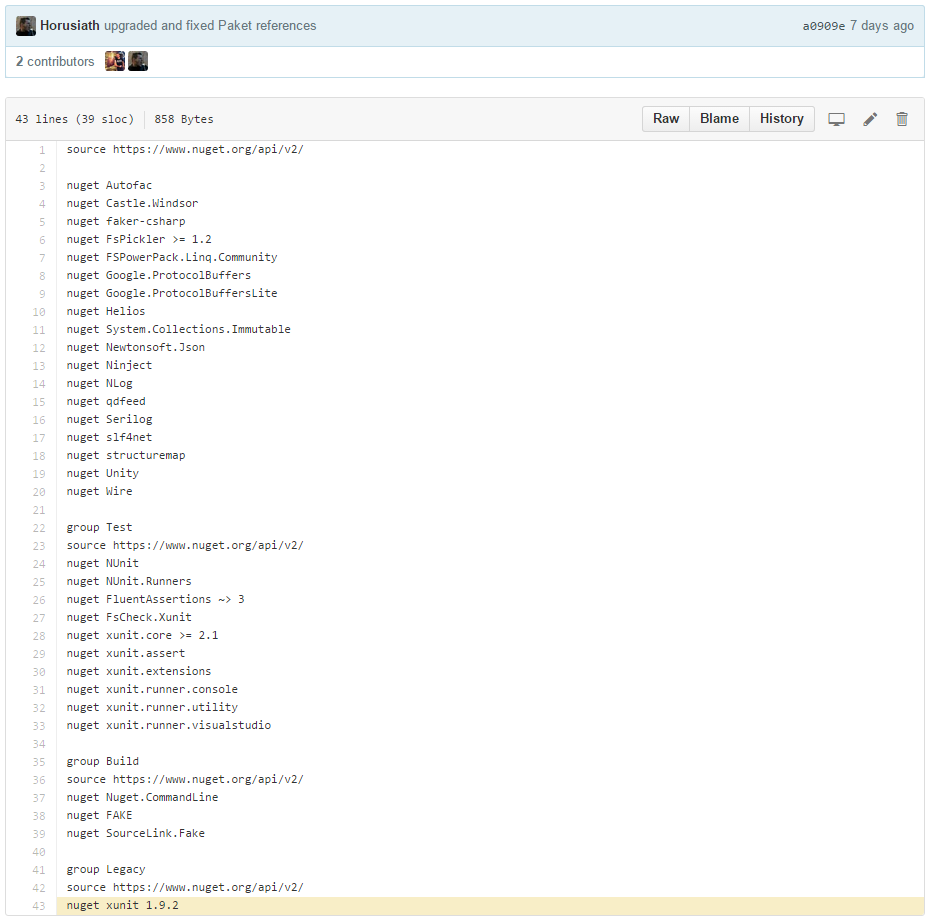
Akka.Net is a big (mainly C#) open source project that uses FAKE and Paket. One interesting observation is that it needs to create different xUnit addins and therefore uses Paket’s groups feature to maintain the xUnit versions.
FSharp.Data
“The F# Data library implements everything you need to access data in your F# applications and scripts. It implements F# type providers for working with structured file formats (CSV, HTML, JSON and XML) and for accessing the WorldBank data. It also includes helpers for parsing CSV, HTML and JSON files and for sending HTTP requests.” [project site]
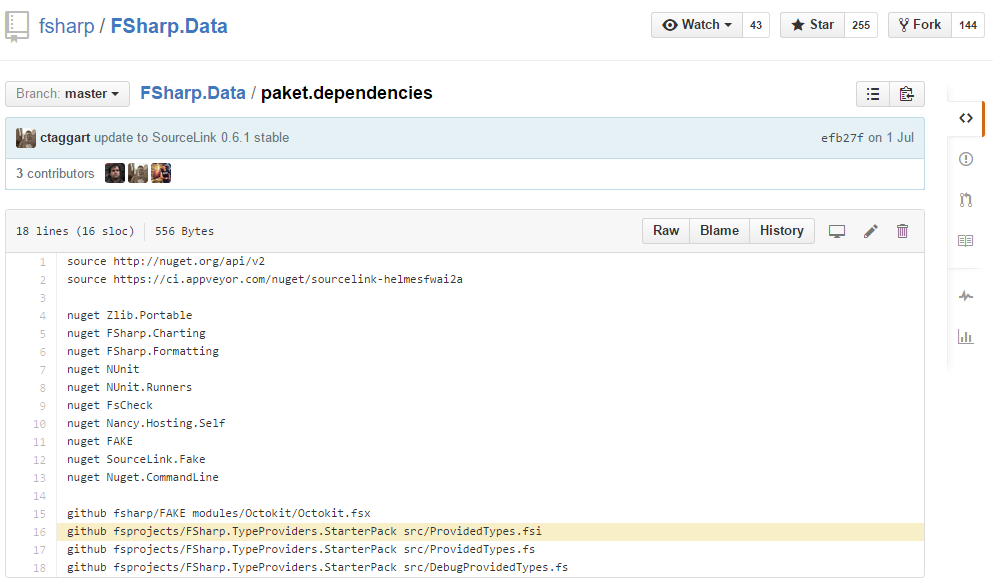
One of the many interesting things in FSharp.Data’s build is that it uses Paket to retrieve the FSharp.TypeProviders.StarterPack. These files need to be included in any F# type provider project and Paket allows you to manage this easily.
Tags:
F#,
F-sharp Make
Two months ago I started to use the RELEASE_NOTES.md files feature in FAKE to describe FAKE’s own changelog. It’s working pretty well with FSharp.Formatting and the whole process got much easier for me. One of the intersting side effects is that I didn’t use the develop branch any more. Pre-release packages can be pushed directly from master.
So in order to make it easier for new contributors I will follow standard git workflow and remove the develop branch completely. Please send your pull request directly to the master branch.

Today I released FAKE 2.12 with a lot of small bug fixes and improvements. The biggest feature is that we now use NancyFx for FAKE.Deploy. A big thanks to all of the 60 contributors.
What’s new?
- Add getDependencies to NugetHelper #373
- Add more F# friendly functions for IO.Path #374
- SourceLink support #345
- NancyFx instead of ASP.NET MVC for FAKE.Deploy #376 – big thanks to @MorganPersson
- Allows to execute processes as unit tests #379
- Allow to run MsTest test in isolation #367
- Fixed Nuget.packSymbols #366
- Fixed bug in SemVer parser #364
- New title property in Nuspec parameters #359
- Added option to disabled FAKE’s automatic process killing #357
- Better AppyVeyor integration #353, #345
- Added ability to define custom MSBuild loggers #352
- Fix for getting the branch name with Git >= 1.9 #351
- Added functions to write and delete from registry #350
- NUnit NoThread, Domain and StopOnError parameters #349
- Add support for VS2013 MSTest #346
- Lots of small fixes
Getting started
If you new to FAKE you should read the getting started guide or clone the F# ProjectScaffold.
Go and grab the bits
Feel free to contact me if you need help for the upgrade.
Tags:
F#,
Fake
I’m happy to annouce the new release of the FSharpx.Collections package on nuget.
Most important changes:
Please tell me if it works for you.
The current version of FAKE contains two tasks for Xamarins xpkg format. These are already used in Daniel Nauck’s Portable.Licensing project (read more about this project).
Sample usage:
Thank you Daniel for this contribution.
Tags:
F#,
F-sharp Make
Today I released two new AssemblyInfo tasks for FAKE and marked the old one as obsolete. One advantage of the new tasks is that they only generate the specified attributes and no more. There are already a lot of predefined attributes but it’s also possible to specify new ones. Here is a small example:
Tags:
F#,
F-sharp Make,
Fake
Jenkins is an extendable open source continuous integration server. In this blog post I show you how you can build FAKE’s Calculator sample with Jenkins. If you are familiar with Jenkins or Hudson then this should be straight forward.
Install Jenkins
Go to http://jenkins-ci.org/ and download/install Jenkins. In addition install the following plugins:
Create a new Task
Create a new “free-style” task in Jenkins:

Use git as the Source Control Management tool and configure the repo as following:

Configure the build step to run FAKE from the command line:

And finally configure the post build actions:

Running the build
If everything is setup correctly, then you should be able to start the build from the project page:

The output should look similar to this:

Tags:
CI,
Continuous Integration,
F#,
Jenkins





